

Having
slow internet or low bandwidth is very painful as background programs
eat our bandwidth and make our internet package finish fast or internet
run slow. Background programs like antivirus uses available internet for
checking updates or automatic update. This is normal for broadband
unlimited computers but users like mobile broadband, limited connection,
DSL, dial-up, etc. This article is about stopping such internet eater
programs manually. Most of the programs have option for this but still
they use some. I already had written a article "Increase your internet speed by 20%"
for releasing reserved bandwidth Windows. Well this method doesn't
require any software as windows firewall does this.
There's a much much easier to block the internet use of a program by using a software called
NetBalancer, read this post.
1. First open Windows Firewall. Just search it in start(for win 7&8). Turn it on if it is off.
2. Now click on Advance settings.

3. Now click on Outbound Rules then select New Rule... from left panel.

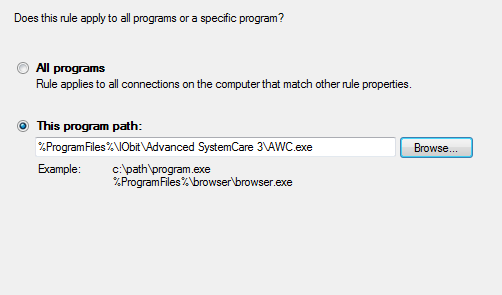
4. Now select Program as rule type then in step-2 browse your program.
5. Now give the name* and description(opt.)


6. Now click on next then keep all default then finish it.
7.Now you can see your program in the list.
8.
If you want to cancel the connection ban then just click on the
blacklisted program from the list then on bottom left select delete then
confirm it.


